
 English
 Add to Chrome
 Add to Edge
 Add to Firefox
Open Bing Images, load the relevant results, and scan with Image Downloader Pro. Preview the detected images, filter by dimensions, and download your selection. If a larger original is missing, open the image result and follow its source website before scanning again.
How to download the images
Run your Bing Images search
Search for the pictures you need and narrow the results with the available image filters. Load the part of the results you want to download.
Open larger views where needed
Click important results to inspect their previews. Visit the source website if you need the actual hosted image rather than the search thumbnail.
Scan the loaded images
Open Image Downloader Pro and click Search images. Scan the Bing results page or the source page where the larger picture is visible.
Filter small previews
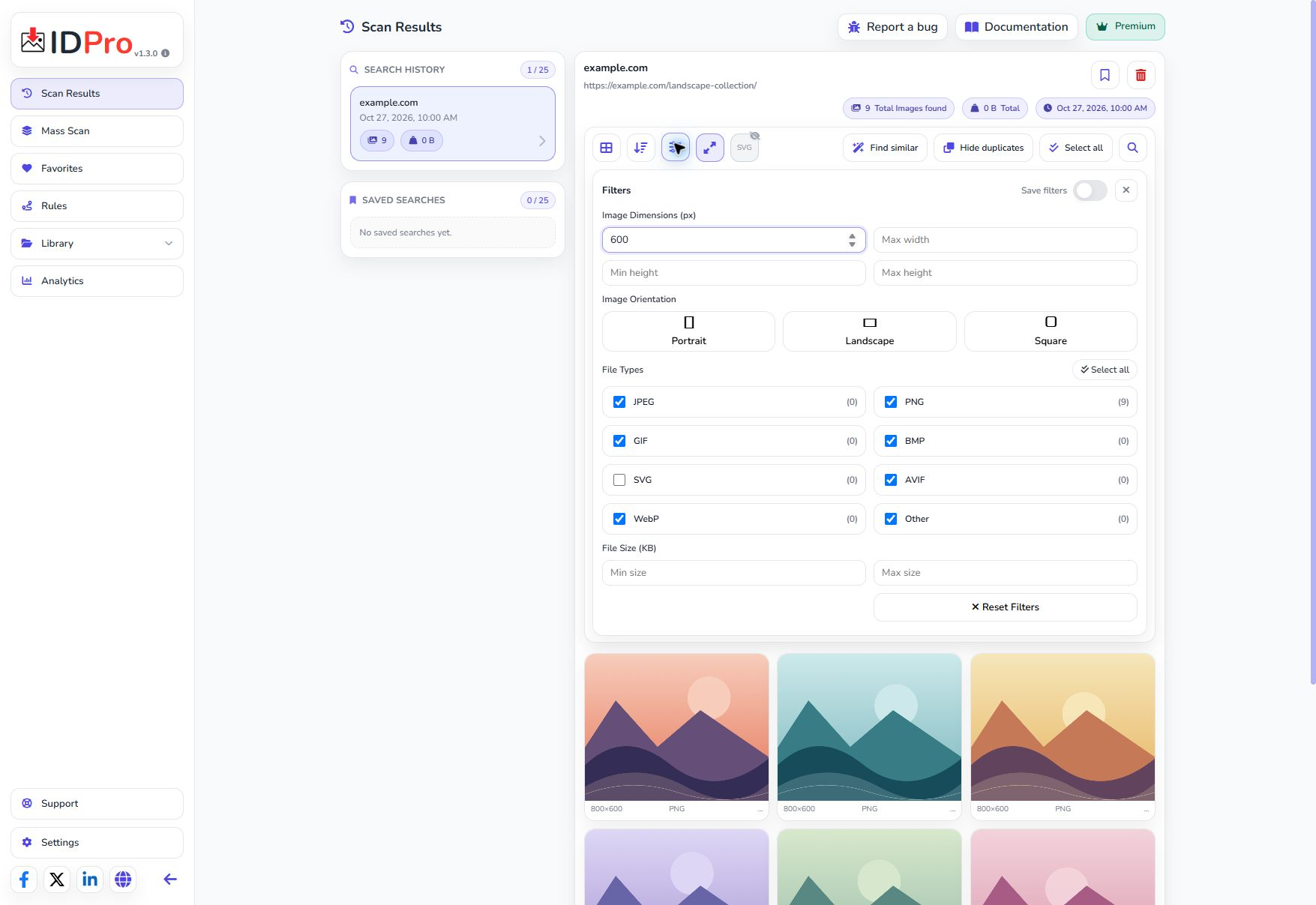
Use Filters to set a minimum width or height. Review dimensions and select the images you want to save; use Select all after removing unwanted page graphics.
Download the image batch
Click Download Selected for separate files or Download selected as ZIP for one archive containing the selected images.
Download originals rather than Bing search thumbnails
A Bing preview and its source image are not always the same file. Search can show a small cached copy while the larger picture is hosted elsewhere. IDP can collect image addresses that the loaded page exposes, but it cannot invent an original URL or restore a removed file.
Save pictures from several source websites
Open the useful source pages in separate tabs and load their image galleries. Mass Scan can combine the selected tabs into one result, where you can filter sizes and download your chosen pictures together. This is often more useful than scanning only the search grid.
Frequently asked questions
Can I download several Bing pictures at once?
Yes, select multiple detected images in IDP and download the batch. Results depend on what Bing and the source websites make available in the loaded pages.
Why is an image missing after filtering by size?
The scan may only contain its smaller preview. Open the source website and scan the larger image there, or lower the minimum dimensions to review the available files.
Does IDP download the whole Bing search?
No. It scans available page content, not every result on Bing. Load additional results or work through source pages in batches.