
 English
 Add to Chrome
 Add to Edge
 Add to Firefox
Open the image’s larger view or source page, let it load, then scan with Image Downloader Pro. Compare pixel dimensions and select the larger detected version. If the page only exposes a thumbnail, IDP cannot turn it into the missing original.
How to download the images
Start with the actual photo page
On a search engine, open the image result and visit its source. On a shop or gallery, open the product page or individual photo rather than relying on the listing grid.
Load a larger image view
Open the gallery, zoom view, or relevant slide and let the picture load. Responsive pages may expose several sizes for the same image.
Scan and inspect dimensions
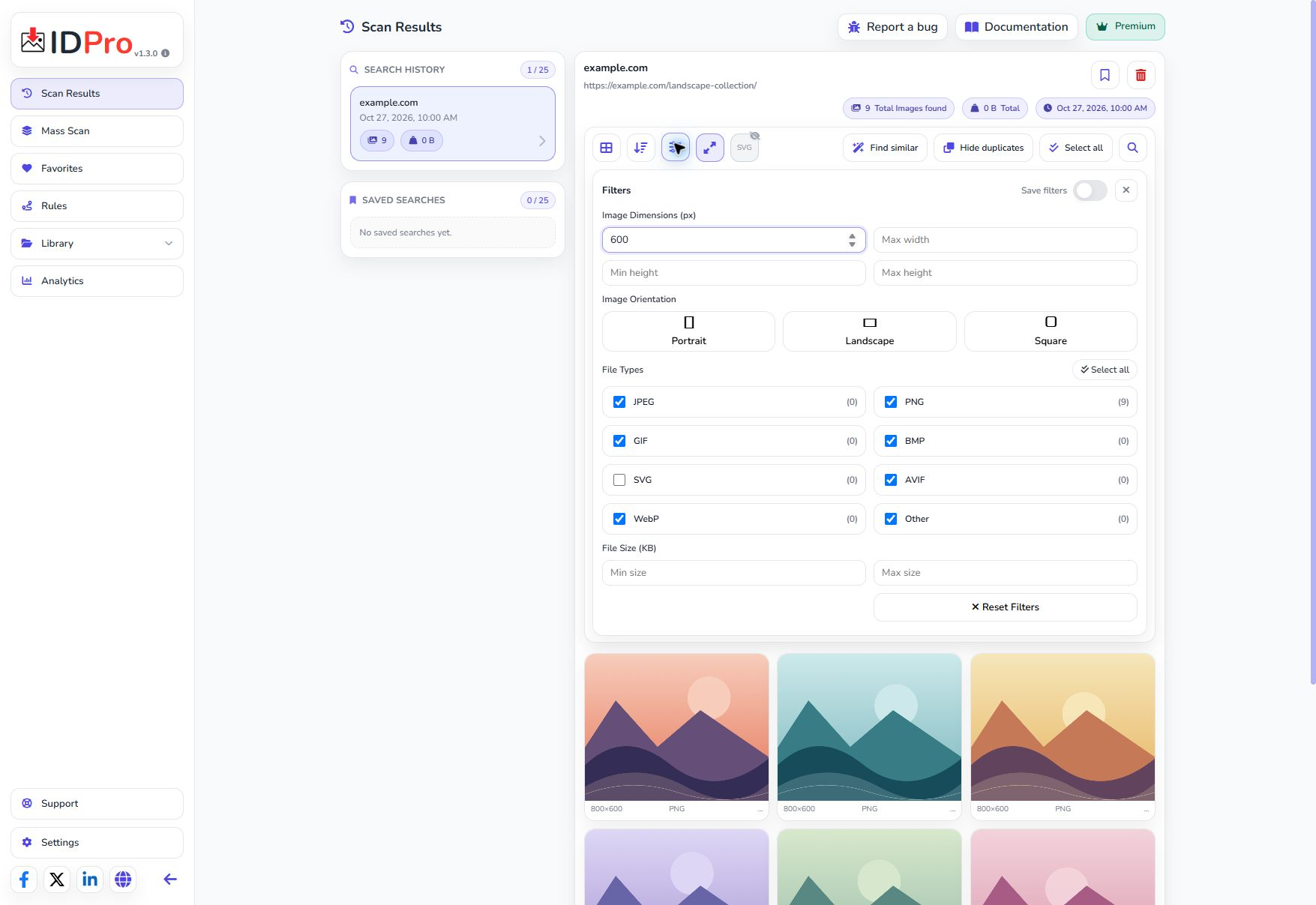
Open Image Downloader Pro and click Search images. Check width and height in pixels; the size of a tile on your screen does not tell you the resolution of the downloaded file.
Compare the detected versions
IDP normally keeps the best available matching version. Turn on Show all image variants in Settings if you want to inspect every detected size, then use Filters to focus on larger files.
Preview and download the chosen file
Open the preview to check the image, select the version you want, and click Download Selected. Repeat on the source page if the scan only contains small thumbnails.
Why a large-looking picture downloads as a thumbnail
The browser can stretch a small image to fill a large area. Search engines also use cached previews, while shops and galleries load larger files only after interaction. A thumbnail and an original can have different URLs even when they show the same subject.
Resolution, file size, and image format are different
Pixel dimensions describe image resolution. File size also depends on compression and format, so a smaller WebP or AVIF file is not automatically a lower-resolution copy. Renaming a JPG or converting a thumbnail to PNG does not restore detail that was never downloaded.
Frequently asked questions
Can a downloader always find the original image?
No. It can find larger versions when usable addresses are available on the page. Private, deleted, or unexposed originals cannot be reconstructed from a thumbnail.
Does filtering for large images improve their quality?
It hides smaller detected files so larger versions are easier to find. It does not upscale images or change their actual resolution.
Why does the downloaded file have a different format?
A server can deliver WebP or AVIF through an address that resembles a JPG. Compare the real format and pixel dimensions rather than relying only on the URL or file size.