
 English
 Add to Chrome
 Add to Edge
 Add to Firefox
How to Export Website Image URLs to CSV, Excel or JSON
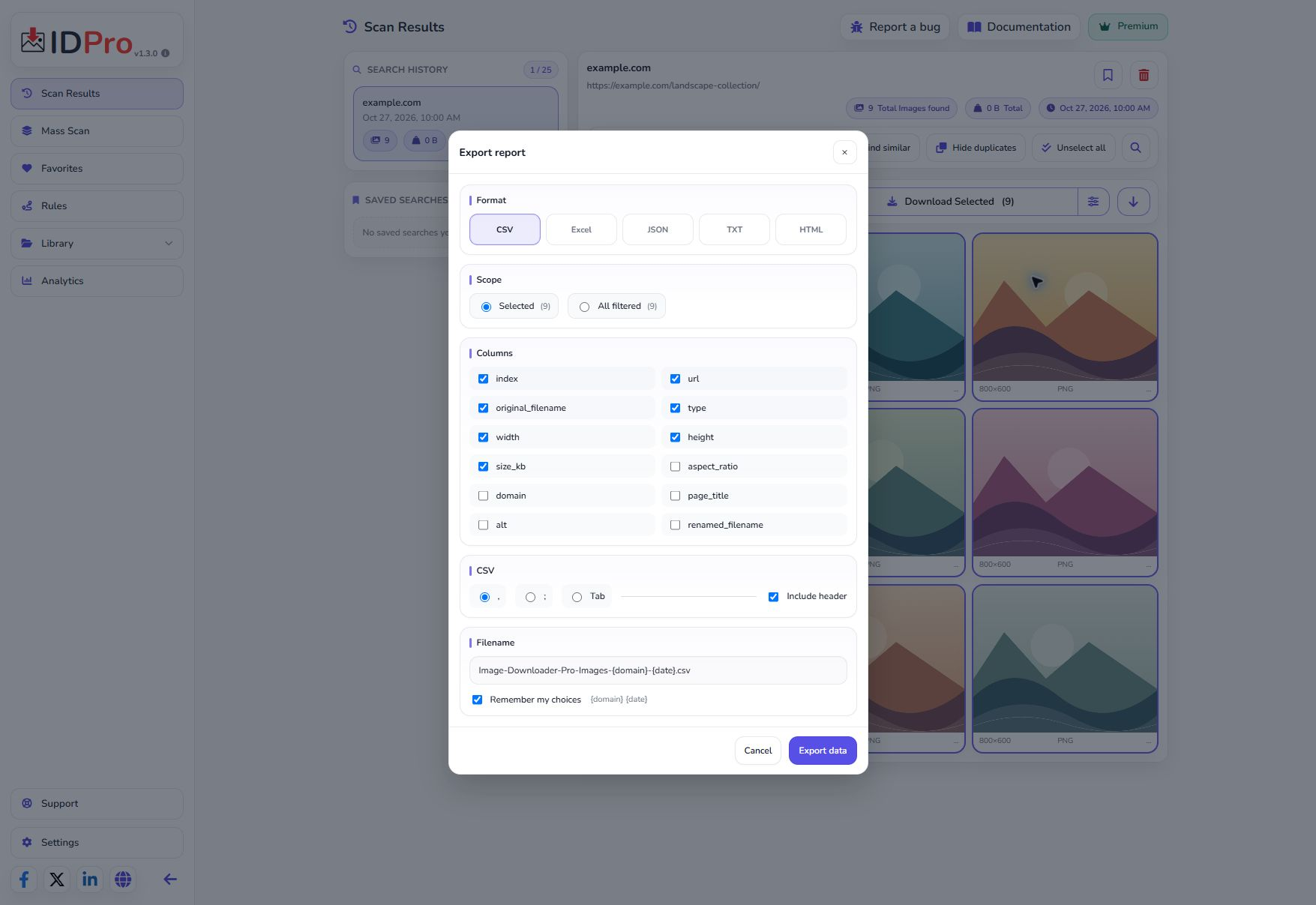
Collect images with a page scan, Scan links or Scan entire website, review the results and open the relevant export control. Choose an available report format and the fields you need. Check whether the export applies to selected items or the current result set before saving it.
Choose a report format for the next task
Use CSV for a portable table, XLSX for an Excel workbook, JSON for structured processing, TXT for a simple text output, or HTML for a readable visual report. These report exports describe images and scan findings; they do not replace an image download or a restorable settings backup.
Follow the workflow
- Run the scan that matches your scope: one page, a prepared list of links, or a website.
- Review the result and remove irrelevant items from your intended export scope. Inspect Source details when you need page context.
- Open the report export control in the relevant results view and choose the output format.
- Select the available fields and options needed for the handoff. For CSV, check delimiter and header settings where offered.
- Save the report, open it in the destination application and compare several rows with the original results.
Check the result
Check that image URLs, source-page URLs, filenames and dimensions occupy the expected columns. Keep URLs as text if your spreadsheet changes their appearance. Missing source metadata should stay empty rather than being guessed. Test a small export before processing a large inventory.
Understand the limits
Available fields and scope depend on the results view and the information the scan could obtain. Scan-result and website reports can use XLSX; the separate Analytics Excel option may use an HTML-based .xls file. Do not assume every export button produces the same data or format.
Read the documentation
Frequently asked questions
Does a CSV or JSON report contain the image files?
No. It contains report data such as URLs and metadata. Download selected images separately when you need the actual files.
Why are some dimensions or source fields empty?
The scan may not have been able to determine them. An honest inventory preserves missing values instead of inventing information.